
Notice: Function _load_textdomain_just_in_time was called incorrectly. Translation loading for the rank-math domain was triggered too early. This is usually an indicator for some code in the plugin or theme running too early. Translations should be loaded at the init action or later. Please see Debugging in WordPress for more information. (This message was added in version 6.7.0.) in /var/www/html/xercode/wp-includes/functions.php on line 6170

Notice: Function _load_textdomain_just_in_time was called incorrectly. Translation loading for the complianz-gdpr domain was triggered too early. This is usually an indicator for some code in the plugin or theme running too early. Translations should be loaded at the init action or later. Please see Debugging in WordPress for more information. (This message was added in version 6.7.0.) in /var/www/html/xercode/wp-includes/functions.php on line 6170

Notice: Function _load_textdomain_just_in_time was called incorrectly. Translation loading for the updraftplus domain was triggered too early. This is usually an indicator for some code in the plugin or theme running too early. Translations should be loaded at the init action or later. Please see Debugging in WordPress for more information. (This message was added in version 6.7.0.) in /var/www/html/xercode/wp-includes/functions.php on line 6170

Notice: Function _load_textdomain_just_in_time was called incorrectly. Translation loading for the rocket domain was triggered too early. This is usually an indicator for some code in the plugin or theme running too early. Translations should be loaded at the init action or later. Please see Debugging in WordPress for more information. (This message was added in version 6.7.0.) in /var/www/html/xercode/wp-includes/functions.php on line 6170

Deprecated: ¡La función WP_Dependencies->add_data() ha sido llamada con un argumento que está obsoleto desde la versión 6.9.0! Los comentarios condicionales de IE los ignoran todos los navegadores compatibles. in /var/www/html/xercode/wp-includes/functions.php on line 6170
¿Cómo envío un artículo en OJS? - Xercode

¿Cómo envío un artículo en OJS?

OJS ofrece la posibilidad a los autores de postular sus artículos desde el sitio  web pinchando en la opción que aparece en el lateral derecho “Enviar un artículo”
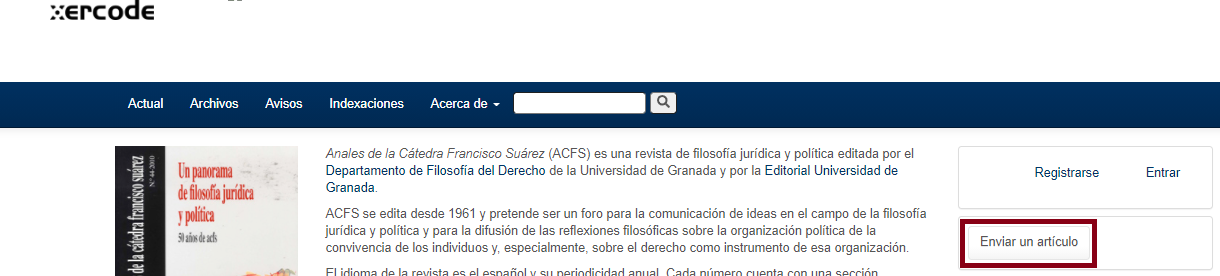
 

En la parte central aparecerá este mensaje que guía al autor indicando que:



Además también dispondrá de directrices que el autor deberá tener en cuenta.


Iniciar sesión como autor

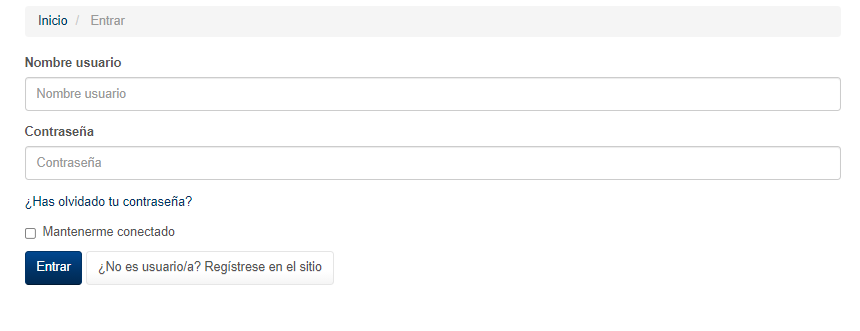
Al pinchar en iniciar sesión, se muestra la siguiente pantalla en la que el autor debe introducir su nombre de usuario y contraseña.
Envíos

Una vez dentro nos permite acceder a la pantalla de envíos desde donde se podrá postular el artículo.

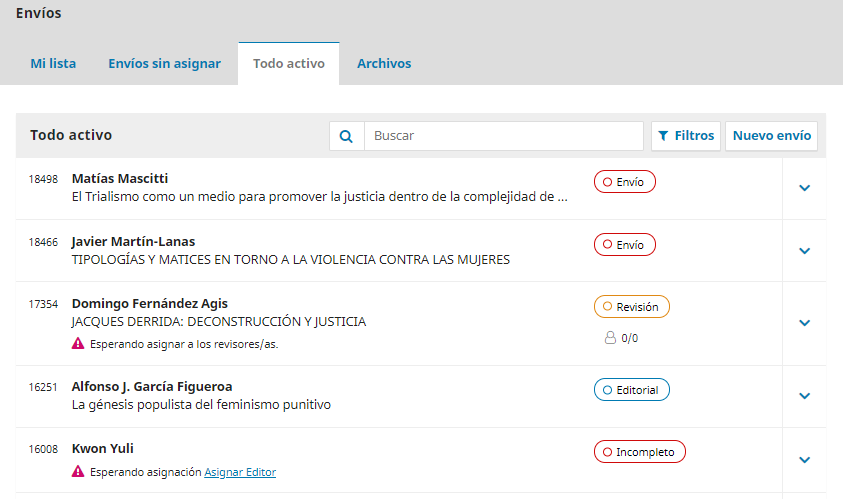
En caso de que el autor ya hubiese enviado otros artículos con anterioridad, la pantalla se mostrará de forma similar a la siguiente imagen, pudiendo ver el estado en el que se encuentran dichos envíos.